beizhu
type
Post
status
Published
date
Dec 2, 2022
slug
summary
Dockerfile RUN CMD
tags
Docker
category
部署
icon
password
Dockerfile构建镜像 (Image)运行容器Using DockerIn existing projects更高效的方式 docker-compose服务器脚本打包编译过程:Next.js 自用dockerfile 包含静态资源上传
Dockerfile
一般来说,根据以下三步,可以将脚本命令翻译成 Dockerfile。
- 选择一个基础镜像。可在 Docker Hub (opens new window)中进行查找镜像。由于前端项目依赖于 Node 环境,我们选择 node:14-alpine (opens new window)作为基础镜像,其中基于轻量操作系统
alpine,内置了node14/npm/yarn等运行环境。
- 将以上几个脚本命令放在 RUN 指令中。
- 启动服务命令放在 CMD 指令中。
next项目
构建镜像 (Image)
使用
docker build命令可以基于DockerFile 构建镜像镜像构建成功后,我们可以将仓库上传到Docker仓库,如Docker Hub
而对于业务项目而言,一般会上传至公司内部的私有镜像仓库,比如通过 harbor (opens new window)搭建的私有镜像仓库。
此时构建镜像成功,通过
docker images 可知镜像体积为 133MB。运行容器
我们可以基于镜像运行 N 个容器,而本次启动的容器也是我们最终所要提供的静态服务。

此时在本地访问
http://localhost:3000 访问成功然而,通过冗余繁琐的命令行构建镜像和容器,比如管理端口,存储、环境变量等,有其天然的劣势,不易维护。
Using Docker
- Install Docker on your machine.
- Build your container:
docker build -t nextjs-docker ..
- Run your container:
docker run -p 3000:3000 nextjs-docker.
You can view your images created with
docker images.In existing projects
To add support for Docker to an existing project, just copy the
Dockerfile into the root of the project and add the following to the next.config.js file:This will build the project as a standalone app inside the Docker image.
更高效的方式 docker-compose
配置结束之后,即可通过一行命令 docker-compose up 替代以前关于构建及运行容器的所有命令。
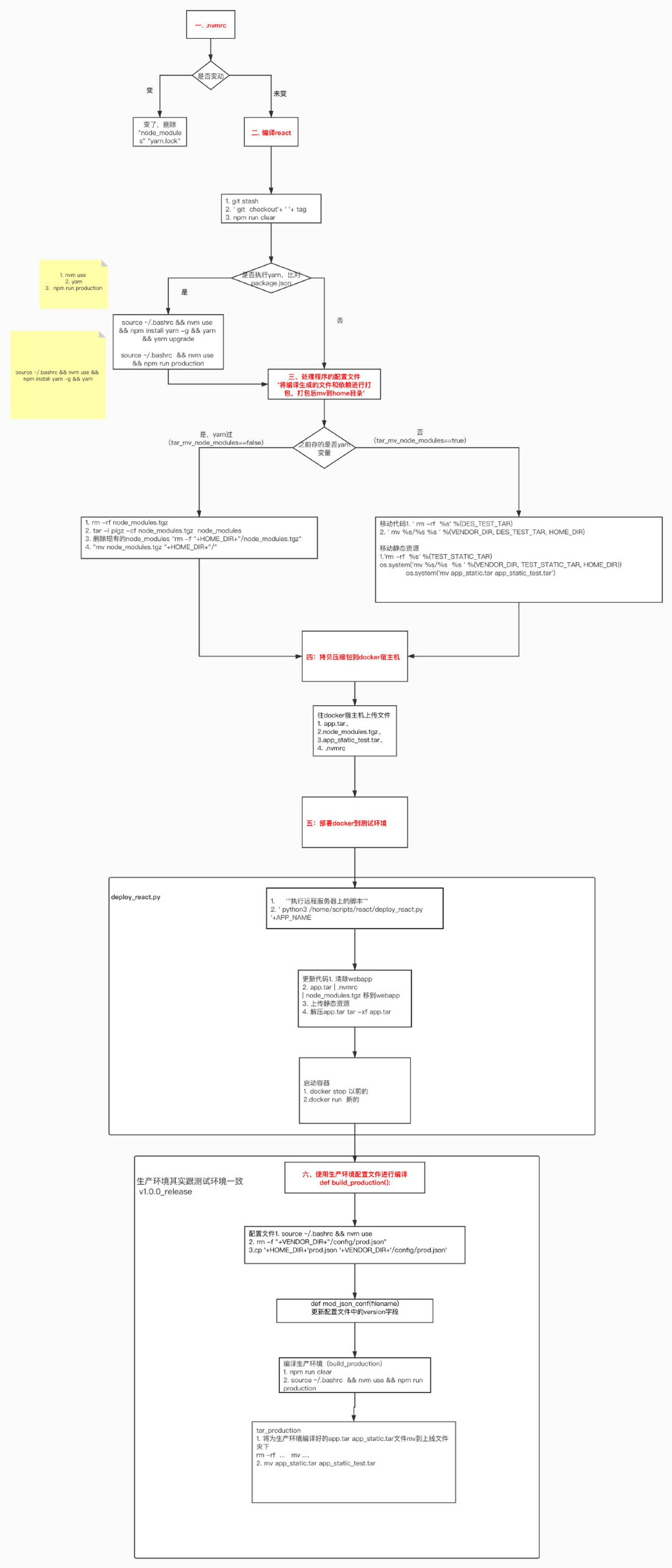
服务器脚本打包编译过程: